I am having problem getting past the loading screen after authenticating via my self-hosted idp. I login successfully without any errors, but getting stuck on the loading screen.
Here is a short description of my tech-stack related to hosting Netbird:
- Hosted using docker compose
- Proxy: Traefik
- Identity Provider: Authelia
- Host: VPS from Hetzner
- DNS: Cloudflare
I have no clue what could be wrong now. I have tried alot of things, but cannot get it to work. Everything seems to be working correctly, all but the dashboard appearing:
- Successfull authentication
- The proxy configuration seems to be configured correct
- Containers run without any errors (i believe)
Additionally, i am not the only one that is having this problem. It can be seen around the github community, that there are several people with the same problem, and nowhere seems to be a concrete solution to these problems. I am hoping that this post could finally be the working example!
What happens
This is what i experience, step-by-step:
- I enter
vpn.example.dk - I get redirected to
auth.example.dk - I login with my user and consent to the claims specified in
scopes. - I get redirected back to
vpn.example.dk - I get stuck on the loading screen.
These are the tokens stored in Session Storage under the key oidc.default after the successful authorization:
{
    "tokens": {
        "accessToken": "authelia_at_jtgPgOSrrqtsZhpTYTMqZzX5FR6DHifVOZNLH71RlcM.k5W8s8e2nDqSfa5v-_ECFQnmrG_C23ZhBxqrt78A0TY",
        "expiresIn": 3599,
        "idToken": "eyJhbGciOiJSUzI1NiIsImtpZCI6ImRlZmF1bHQiLCJ0eXAiOiJKV1QifQ.eyJhbXIiOlsicHdkIiwia2JhIiwib3RwIiwibWZhIl0sImF0X2hhc2giOiJ3bm1VSkoxYnNGSVk0VFlNalFSQ3pBIiwiYXVkIjpbIm5ldGJpcmQiXSwiYXV0aF90aW1lIjoxNzY1MzEyMTQ2LCJhenAiOiJuZXRiaXJkIiwiZW1haWwiOiJvbGF2bm9uQGdtYWlsLmNvbSIsImVtYWlsX3ZlcmlmaWVkIjp0cnVlLCJleHAiOjE3NjUzMTY4MDUsImlhdCI6MTc2NTMxMzIwNSwiaXNzIjoiaHR0cHM6Ly9hdXRoLmtyaXN0bmFzdG92YWZjLmRrIiwianRpIjoiN2EyNjU0ODMtMGNiOS00NzBmLWIyZGUtYWViM2JmMzdhZDMxIiwibmFtZSI6IsOTbGF2dXIgTsOzbiIsIm5vbmNlIjoiU1htM2swOFNFblRUIiwicHJlZmVycmVkX3VzZXJuYW1lIjoib3RoZW5vbmUiLCJzdWIiOiI5N2YzZDY5ZC1kN2M5LTRjMDEtYjE5Yi0wMzVjMDZhMGU2ZDAifQ.qfYtCaV5z8oFVPswxi_XCauiGSejlG1eVQXFUG3AKCbjVtHhnev6G4lTlwi5D7xsozmCQp7HOKHfZprk6gkUU_mRGF4azo80QcXfYBEASnljMtgHTb8OxGrDG9AS-Ilxfih7ZWHorFgSSjQYwQwK6ze10Iw_WS6wDT9U-DfW3s_meN4w1c81ajfy7ndjcQCKYkqi-9LqV38uY9ifcXVKcwj-IpgjBm3eGt1PEsPwwyLXdntbxf1L-CXofQv3ryo2ndYEdNMubzL73ummXNNCcfzmIl8VxyHOHMfHse0hRj09T7VvifQAeEp57naI2v-52IdXqa3b3b_6b_U3n6RQoQ",
        "scope": "openid profile email offline_access api",
        "tokenType": "bearer",
        "issuedAt": 1765313204.967,
        "refreshToken": "authelia_rt_47Nvb-1k3sqPO3oSr4DqGeNVAFaibwrpv_eGI1q2-S0.qYnTlRgmmV36sKuW-wKLUr6CxgJcmcQQK5oeclwf8FQ",
        "idTokenPayload": {
            "amr": [
                "pwd",
                "kba",
                "otp",
                "mfa"
            ],
            "at_hash": "some_hash",
            "aud": [
                "netbird"
            ],
            "auth_time": 1765312146,
            "azp": "netbird",
            "email": "example@gmail.com",
            "email_verified": true,
            "exp": 1765316805,
            "iat": 1765313205,
            "iss": "https://auth.example.dk",
            "jti": "some-key",
            "name": "My Name",
            "nonce": "SXm3k08SEnTT",
            "preferred_username": "my_user_name",
            "sub": "some-key"
        },
        "accessTokenPayload": null,
        "expiresAt": 1765316803.967
    }
}
This is my network tab when entering https://vpn.example.dk/:
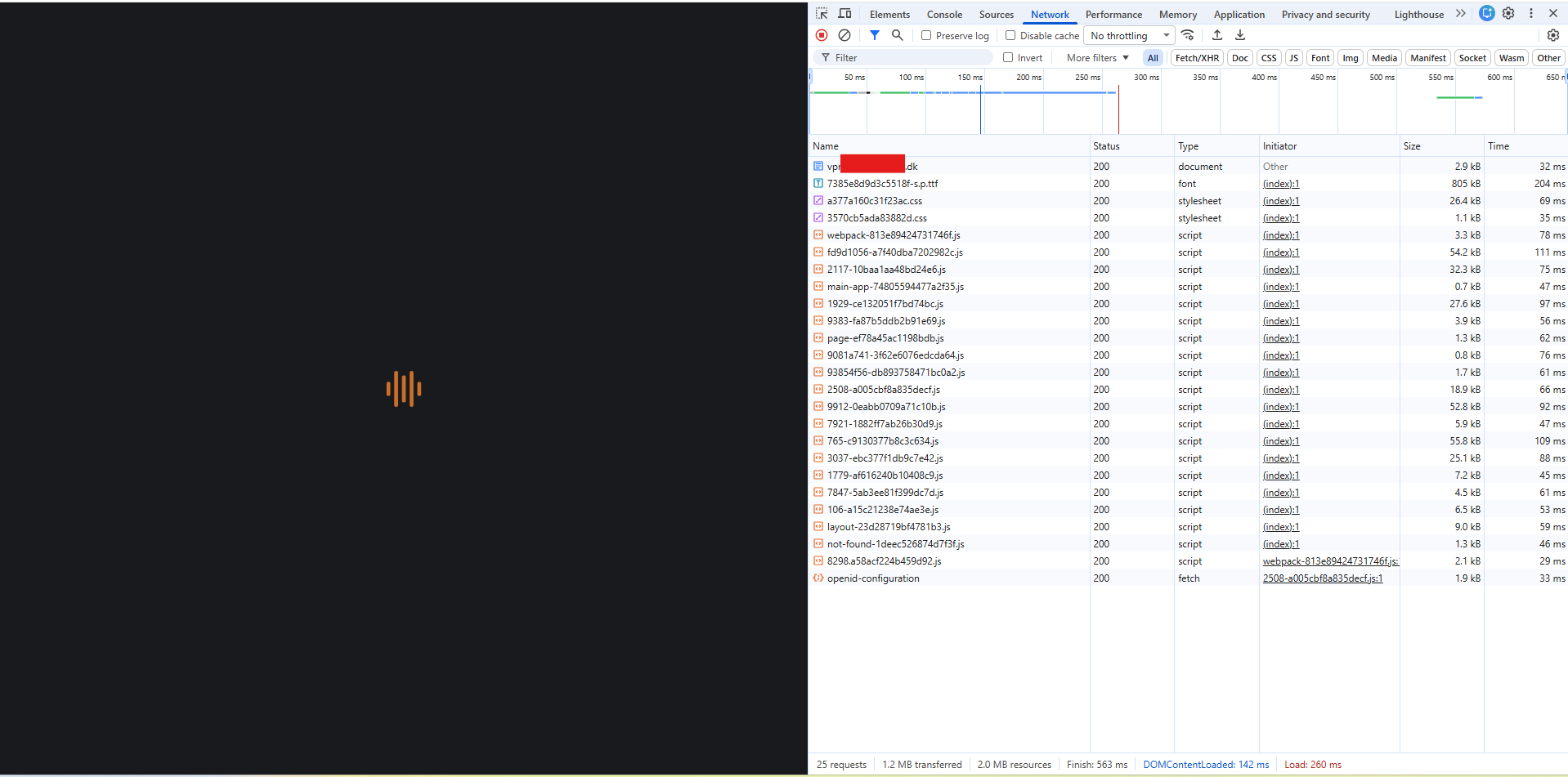
This is where i get stuck. Nothing seems to happen in the network tab. Although after about 20-30 seconds, i get redirected back to the “consent” screen. I consent, and then i’m back at the loading screen.
Configuration
These are my configuration files:
Netbird
compose.yaml
x-default: &default
  restart: 'unless-stopped'
  logging:
    driver: 'json-file'
    options:
      max-size: '500m'
      max-file: '2'

services:
  # UI dashboard
  dashboard:
    <<: *default
    image: netbirdio/dashboard:latest
    environment:
      # Endpoints
      - NETBIRD_MGMT_API_ENDPOINT=https://vpn.example.dk:443
      - NETBIRD_MGMT_GRPC_API_ENDPOINT=https://vpn.example.dk:443
      # OIDC
      - AUTH_AUDIENCE=netbird
      - AUTH_CLIENT_ID=netbird
      #- AUTH_CLIENT_SECRET=
      - AUTH_AUTHORITY=https://auth.example.dk
      - USE_AUTH0=false
      - AUTH_SUPPORTED_SCOPES=openid profile email offline_access api
      - AUTH_REDIRECT_URI=/peers
      - AUTH_SILENT_REDIRECT_URI=/setup-keys
      - NETBIRD_TOKEN_SOURCE=accessToken
      # SSL
      - NGINX_SSL_PORT=443
    labels:
      - "traefik.enable=true"

      # HTTP
      - "traefik.http.routers.dashboard.rule=Host(`vpn.example.dk`) && PathPrefix(`/`)"
      - "traefik.http.routers.dashboard.entrypoints=websecure"
      - "traefik.http.routers.dashboard.tls=true"
      - "traefik.http.routers.dashboard.tls.certresolver=le"
      - "traefik.http.routers.dashboard.service=dashboard"
      - "traefik.http.services.dashboard.loadbalancer.server.port=80"
    networks:
      - proxy

  # Signal
  signal:
    <<: *default
    image: netbirdio/signal:latest
    depends_on:
      - dashboard
    volumes:
      - ./netbird-signal:/var/lib/netbird
  #    command: ["--letsencrypt-domain", "", "--log-file", "console"]
    command: [
      "--port", "443",
      "--cert-file", "",
      "--cert-key", "",
      "--log-file", "console"
    ]
    labels:
      - "traefik.enable=true"

      # HTTP
      - "traefik.http.routers.signal-grpc.rule=Host(`vpn.example.dk`) && PathPrefix(`/signalexchange.SignalExchange/`)"
      - "traefik.http.routers.signal-grpc.entrypoints=web"
      - "traefik.http.routers.signal-grpc.service=signal-grpc"
      - "traefik.http.services.signal-grpc.loadbalancer.server.port=80"
      - "traefik.http.services.signal-grpc.loadbalancer.server.scheme=h2c"

      # gRPC
      - "traefik.http.routers.signal-ws.rule=Host(`vpn.example.dk`) && PathPrefix(`/ws-proxy/signal`)"
      - "traefik.http.routers.signal-ws.entrypoints=web"
      - "traefik.http.routers.signal-ws.service=signal-ws"
      - "traefik.http.services.signal-ws.loadbalancer.server.port=80"
    networks:
      - proxy

  # Relay
  relay:
    <<: *default
    image: netbirdio/relay:latest
    environment:
      - NB_LOG_LEVEL=info
      - NB_LISTEN_ADDRESS=:443
      - NB_EXPOSED_ADDRESS=rels://vpn.example.dk:443/relay
      # todo: change to a secure secret
      - NB_AUTH_SECRET=C9wd2KZV9Jy8u1XdWJReVsL5gc5N3tljayMMvlBAuE4
    labels:
      - "traefik.enable=true"

      # HTTP
      - "traefik.http.routers.relay-ws.rule=Host(`vpn.example.dk`) && PathPrefix(`/relay`)"
      - "traefik.http.routers.relay-ws.entrypoints=web"
      - "traefik.http.routers.relay-ws.service=relay-ws"
      - "traefik.http.services.relay-ws.loadbalancer.server.port=33080"

      # UDP
      - "traefik.udp.routers.relay-quic.entrypoints=relay-udp"
      - "traefik.udp.routers.relay-quic.service=relay-quic"
      - "traefik.udp.services.relay-quic.loadbalancer.server.port=33080"
    networks:
      - proxy

  # Management
  management:
    <<: *default
    image: netbirdio/management:latest
    depends_on:
      - dashboard
    volumes:
      - ./netbird-mgmt:/var/lib/netbird
      - ./management.json:/etc/netbird/management.json
  #    # command for Let's Encrypt validation without dashboard container
  #    command: ["--letsencrypt-domain", "", "--log-file", "console"]
    command: [
      "--port", "443",
      "--log-file", "console",
      "--log-level", "info",
      "--disable-anonymous-metrics=false",
      "--single-account-mode-domain=vpn.example.dk",
      "--dns-domain=netbird.selfhosted"
      ]
    environment:
      - NETBIRD_STORE_ENGINE_POSTGRES_DSN=
      - NETBIRD_STORE_ENGINE_MYSQL_DSN=
    labels:
      - "traefik.enable=true"

      # HTTP
      - "traefik.http.routers.management-api.rule=Host(`vpn.example.dk`) && PathPrefix(`/api`)"
      - "traefik.http.routers.management-api.entrypoints=websecure"
      - "traefik.http.routers.management-api.tls=true"
      - "traefik.http.routers.management-api.service=management-api"
      - "traefik.http.services.management-api.loadbalancer.server.port=443"

      # gRPC
      - "traefik.http.routers.management-grpc.rule=Host(`vpn.example.dk`) && PathPrefix(`/management.ManagementService/`)"
      - "traefik.http.routers.management-grpc.entrypoints=websecure"
      - "traefik.http.routers.management-grpc.tls=true"
      - "traefik.http.routers.management-grpc.service=management-grpc"
      - "traefik.http.services.management-grpc.loadbalancer.server.port=443"
      - "traefik.http.services.management-grpc.loadbalancer.server.scheme=h2c"

      # WebSocket
      - "traefik.http.routers.management-ws.rule=Host(`vpn.example.dk`) && PathPrefix(`/ws-proxy/management`)"
      - "traefik.http.routers.management-ws.entrypoints=websecure"
      - "traefik.http.routers.management-ws.tls=true"
      - "traefik.http.routers.management-ws.service=management-ws"
      - "traefik.http.services.management-ws.loadbalancer.server.port=443"
    networks:
      - proxy

  # Coturn
  coturn:
    <<: *default
    image: coturn/coturn:latest
    domainname: vpn.example.dk # only needed when TLS is enabled
    volumes:
      - ./turnserver.conf:/etc/turnserver.conf:ro
    #      - ./privkey.pem:/etc/coturn/private/privkey.pem:ro
    #      - ./cert.pem:/etc/coturn/certs/cert.pem:ro
    network_mode: host
    command:
      - -c /etc/turnserver.conf

networks:
  proxy:
    external: true
management.json
{
    "Stuns": [
        {
            "Proto": "udp",
            "URI": "stun:vpn.example.dk:3478",
            "Username": "",
            "Password": ""
        }
    ],
    "TURNConfig": {
        "TimeBasedCredentials": false,
        "CredentialsTTL": "12h0m0s",
        "Secret": "secret",
        "Turns": [
            {
                "Proto": "udp",
                "URI": "turn:vpn.example.dk:3478",
                "Username": "self",
                "Password": "+bhhQohSGUz7vbIhKHoHzsn1ImdMbSCNTJNSfoQR1xU"
            }
        ]
    },
    "Relay": {
        "Addresses": [
            "rels://vpn.example.dk:443/relay"
        ],
        "CredentialsTTL": "24h0m0s",
        "Secret": "C9wd2KZV9Jy8u1XdWJReVsL5gc5N3tljayMMvlBAuE4"
    },
    "Signal": {
        "Proto": "http",
        "URI": "vpn.example.dk:443",
        "Username": "",
        "Password": ""
    },
    "Datadir": "/var/lib/netbird/",
    "DataStoreEncryptionKey": "IYOLGjh3qANr7gPeVRSw7ZXPK4XmNDefqjaLl6LQ0AE=",
    "HttpConfig": {
        "LetsEncryptDomain": "",
        "CertFile": "",
        "CertKey": "",
        "AuthAudience": "netbird",
        "AuthIssuer": "https://auth.example.dk",
        "AuthUserIDClaim": "",
        "AuthKeysLocation": "https://auth.example.dk/jwks.json",
        "OIDCConfigEndpoint": "https://auth.example.dk/.well-known/openid-configuration",
        "IdpSignKeyRefreshEnabled": false,
        "ExtraAuthAudience": ""
    },
    "IdpManagerConfig": {
        "ManagerType": "none",
        "ClientConfig": {
                "Issuer": "https://auth.example.dk",
                "TokenEndpoint": "https://auth.example.dk/api/oidc/token",
                "ClientID": "netbird",
                "ClientSecret": "",
                "GrantType": "client_credentials"
        },
        "ExtraConfig": {},
        "Auth0ClientCredentials": null,
        "AzureClientCredentials": null,
        "KeycloakClientCredentials": null,
        "ZitadelClientCredentials": null
    },
    "DeviceAuthorizationFlow": {
    },
    "PKCEAuthorizationFlow": {
        "ProviderConfig": {
            "ClientID": "netbird",
            "ClientSecret": "",
            "Domain": "https://auth.example.dk",
            "Audience": "netbird",
            "TokenEndpoint": "https://auth.example.dk/api/oidc/token",
            "DeviceAuthEndpoint": "",
            "AuthorizationEndpoint": "https://auth.example.dk/api/oidc/authorization",
            "Scope": "openid profile email offline_access api",
            "UseIDToken": false,
            "RedirectURLs": [
                "http://localhost:53000"
            ],
            "DisablePromptLogin": false,
            "LoginFlag": 0
        }
    },
    "StoreConfig": {
        "Engine": "sqlite"
    },
    "ReverseProxy": {
        "TrustedHTTPProxies": [],
        "TrustedHTTPProxiesCount": 0,
        "TrustedPeers": [
            "0.0.0.0/0"
        ]
    },
    "DisableDefaultPolicy": false
}
Authelia
compose.yaml
name: auth

services:
  authelia:
    image: 'authelia/authelia'
    volumes:
      - './config:/config'
    restart: 'unless-stopped'
    env_file: '.env'
    healthcheck:
      ## In production the healthcheck section should be commented.
      disable: true
    environment:
      TZ: 'Australia/Melbourne'
    labels:
      traefik.enable: 'true'
      traefik.http.routers.authelia.rule: 'Host(`auth.example.dk`)'
      traefik.http.routers.authelia.entrypoints: 'websecure'
      traefik.http.routers.authelia.tls: 'true'
      traefik.http.routers.authelia.tls.certresolver: 'le'
      traefik.http.middlewares.authelia.forwardauth.address: 'http://auth-authelia-1:9091/api/authz/f>
      traefik.http.middlewares.authelia.forwardauth.trustForwardHeader: 'true'
      traefik.http.middlewares.authelia.forwardauth.authResponseHeaders: 'Remote-User,Remote-Groups,R>
    networks:
      - proxy

networks:
  proxy:
    external: true
config/configuration.yaml
###############################################################
#                   Authelia configuration                    #
###############################################################

server:
  address: 'tcp://:9091'

log:
  level: 'debug'

totp:
  issuer: 'authelia.com'

identity_validation:
  reset_password:
    jwt_secret: 'a_secret'

authentication_backend:
  file:
    path: '/config/users.yaml'

access_control:
  default_policy: 'deny'
  rules:
    # Rules applied to everyone
    - domain: 'proxy.example.dk'
      policy: 'one_factor'

identity_providers:
  oidc:
    jwks:
      - key_id: 'default'
        algorithm: 'RS256'
        use: 'sig'
        key: {{ secret "/config/secrets/private.pem" | mindent 10 "|" | msquote }}
    cors:
      endpoints:
        - 'authorization'
        - 'token'
        - 'revocation'
        - 'introspection'
        - 'userinfo'
      allowed_origins_from_client_redirect_uris: false
    claims_policies:
      username_email:
          id_token:
            - 'email'
            - 'email_verified'
            - 'alt_emails'
            - 'name'
            - 'preferred_username'
    clients:
      - client_id: 'netbird'
        client_name: 'Netbird'
        client_secret: ''
        public: true
        authorization_policy: 'two_factor'
        claims_policy: 'username_email'
        consent_mode: 'implicit'
        pre_configured_consent_duration: '3 months'
        require_pkce: true
        pkce_challenge_method: 'S256'
        userinfo_signed_response_alg: 'none'
        token_endpoint_auth_method: 'none'
        audience:
          - 'netbird'
        redirect_uris:
          - 'http://localhost:53000'
          - 'https://vpn.example.dk/callback'
          - 'https://vpn.example.dk/silent-callback'
          - 'https://vpn.example.dk/auth'
          - 'https://vpn.example.dk/silent-auth'
          - 'https://vpn.example.dk/peers'
          - 'https://vpn.example.dk/add-peer'
          - 'https://vpn.example.dk#callback'
          - 'https://vpn.example.dk#silent-callback'
        scopes:
          - 'openid'
          - 'profile'
          - 'email'
          - 'offline_access'
          - 'api'
        grant_types:
          - 'authorization_code'
          - 'refresh_token'
        response_types:
          - 'code'
        response_modes:
          - 'query'
          - 'fragment'

session:
  # This secret can also be set using the env variables AUTHELIA_SESSION_SECRET_FILE
  secret: 'a_secret_key'

  cookies:
    - name: 'authelia_session'
      domain: 'example.dk'  # Should match whatever your root protected domain is
      authelia_url: 'https://auth.example.dk'
      expiration: '1 hour'
      inactivity: '5 minutes'

regulation:
  max_retries: 3
  find_time: '2 minutes'
  ban_time: '5 minutes'

storage:
  encryption_key: 'a_secret_key'
  local:
    path: '/config/db.sqlite3'

notifier:
  disable_startup_check: false
  smtp:
    username: 'example@gmail.com'
    password: 'a_password'
    address: 'smtp://smtp.gmail.com:587'
    sender: 'example@gmail.com'
    subject: 'Authelia One-Time Password'
Traefik
compose.yaml
name: "proxy"

services:
  traefik:
    image: "traefik:v3.4"
    restart: unless-stopped
    ports:
      - "80:80"
      - "443:443"
      - "8080:8080"
    volumes:
      - "/var/run/docker.sock:/var/run/docker.sock:ro"
      - "./traefik.yaml:/etc/traefik/traefik.yaml"
      - "./ssl:/ssl"
    networks:
      - proxy
    labels:
      - "traefik.enable=true"
      - "traefik.http.routers.traefik.rule=Host(`proxy.example.dk`)"
      - "traefik.http.routers.traefik.entrypoints=websecure"
      - "traefik.http.routers.traefik.service=api@internal"
      - "traefik.http.routers.traefik.tls=true"
      - "traefik.http.routers.traefik.tls.certresolver=le"
      - "traefik.http.routers.traefik.middlewares=authelia@docker"

networks:
  proxy:
    name: proxy
traefik.yaml
api:
  dashboard: true
  insecure: false
  disableDashboardAd: true

providers:
  docker:
    exposedByDefault: false
    network: proxy

entryPoints:
  web:
    address: ":80"
    http:
      redirections:
        entryPoint:
          to: websecure
          scheme: https

  websecure:
    address: ":443"

  relay-udp:
    address: ":33080/udp"

log:
  level: INFO

certificatesResolvers:
  le:
    acme:
      email: example@gmail.com
      storage: /ssl/acme.json
      httpChallenge:
        entryPoint: web
Have you tried these troubleshooting steps?
- Reviewed client troubleshooting (if applicable)
- Checked for newer NetBird versions
- Searched for similar issues on GitHub (including closed ones)
- Restarted the NetBird client
- Disabled other VPN software
- Checked firewall settings