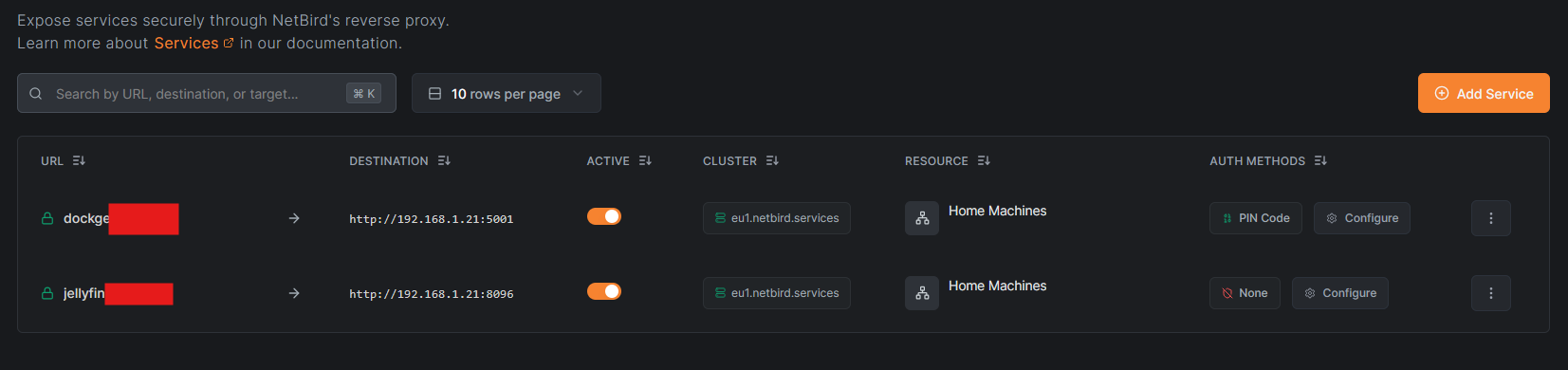
Describe the problem
Hello,
I have tried to install the Netbird reverse proxy, following the youtube/jellyfin tutorial, as that’s exactly what I’m trying to do.
I thought I made it successfully through the steps, but still getting connection error- can’t connect to destination. Service, Networks, Keys, etc., all are lighting up green.
Not sure where to start to troubleshoot, but am happy to share any screenshots info etc.
Disabled Tailscale in docker just in case, and disables the VPN on my laptop just in case, no change.
TrueNAS community edition.
I must have missed something simple, but I’ve been through it so many times I don’t know what to check next. Thanks for any help.
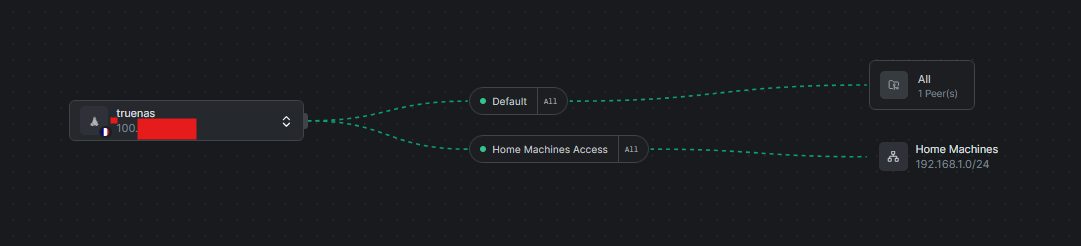
Ended up deleting everything except for the securuty key and my dockge compose, and re-added. Also added a new peer, with a different port, and also a PIN code. Interestingly, the first time I tried to connect, I got the PIN pop-up, passed that, then it didn’t connect. Good to see a change anyway. Still not connecting on either.