Describe the problem
Custom domain shows Active/verified in Reverse Proxy Custom Domains, but any service on it stays stuck at “Issuing certificate…” forever on NetBird Cloud (free plan, eu1 cluster). The built-in free domain on the same cluster issues its certificate instantly. This is not self-hosted.
To Reproduce
Steps to reproduce the behavior:
- Add custom domain mohandl3g.ly under Reverse Proxy, Custom Domains.
- Add wildcard CNAME *.mohandl3g.ly to eu1.netbird.services in Cloudflare, DNS-only (grey cloud).
- Click Verify Domain, and wait for status to become Active.
- Create a reverse proxy service for example jellyfin.mohandl3g.ly.
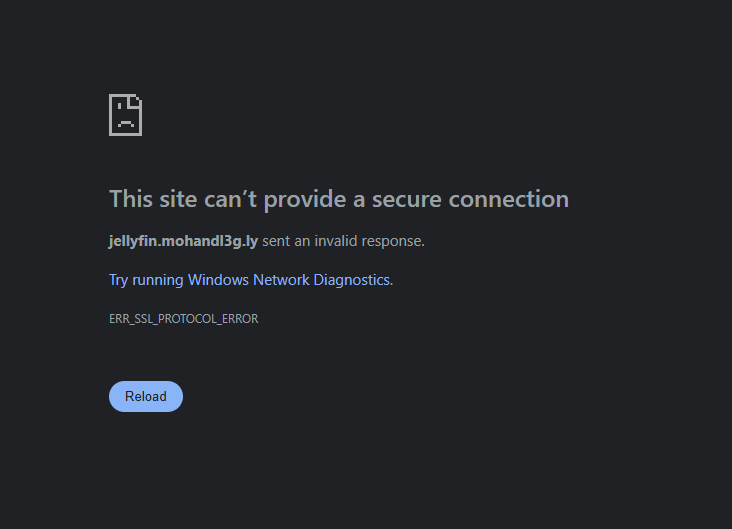
- Service stays at “Issuing certificate…” for hours; opening the URL shows the “certificate not issued” error.
Expected behavior
The proxy should automatically issue a Let’s Encrypt certificate via ACME (tls-alpn-01 on port 443) and the service should become Active.
Are you using NetBird Cloud?
Yes.
NetBird version
Client 0.76.3 (running in Docker on a Windows host).
Is any other VPN software installed?
No.
Debug output
To help us resolve the problem, please attach the following anonymized status output
netbird status -dA output:

Peers detail:
proxy-d9svd03l0ubs73egc660-146-234.netbird.cloud:
NetBird IP: 100.102.146.234
Status: Connected
Connection type: Relayed
Relay server address: rels://streamline-de-fra1-9.relay.netbird.io:443

proxy-d9svd03l0ubs73egc650-184-167.netbird.cloud:
NetBird IP: 100.102.184.167
Status: Connected
Connection type: Relayed
Relay server address: rels://streamline-es-mad1-0.relay.netbird.io:443

FQDN: mohandl3g-docker.netbird.cloud
NetBird IP: 100.102.138.213/16
Management: Connected to https://api.netbird.io:443
Signal: Connected to https://signal.netbird.io:443
Peers count: 2/2 Connected
Create and upload a debug bundle, and share the returned file key:
f79e391890ab27fb37c88b3b4be7011e22aa2e5ca6f38ffa9c4481884941f726/ceb6e079-aa91-4c4c-aea5-595552cb8604
Screenshots



Additional context
Add any other context about the problem here.
Have you tried these troubleshooting steps?
- Reviewed client troubleshooting (if applicable)
- Checked for newer NetBird versions
- Searched for similar issues on GitHub (including closed ones)
- Restarted the NetBird client
- Disabled other VPN software
- Checked firewall settings