Describe the problem
I’m trying to host Netbird using the Advanced Guide and Zitadel as IdP. The management container keeps restarting (im stuck at this point).
I hosted zitadel, which is accessible via localhost:8080. I just added the containers zitadel, login and db to the.yml file of netbird (I’m not sure if this is a good practice).
I then followed the steps to configure an IdP, edited the setup.env file and comented out the command which creates a yml.file in configure.sh (I hope this makes sense). Followed the rest of the guide.
The management conatiner keeps restarting.
I get the Error: failed reading provided config file: /etc/netbird/management.json: failed fetching OIDC configuration from endpoint http://localhost:8080/.well-known/openid-configuration Get “http ://localhost:8080/.well-known/openid-configuration”: dial tcp [::1]:8080: connect: connection refused.
Basically the OIDC congifuration cant be fetched idky. Can someone please help. I’ll really appreciate.
Also I am using a reverse proxy: nginx
To Reproduce
Steps to reproduce the behavior:
- Go to ‘…’
- Click on ‘…’
- Scroll down to ‘…’
- See error
Expected behavior
Normally everything is supposed to work properly and a start page of netbird is supposed to be displayed
Are you using NetBird Cloud?
I do not use Netbird Cloud
NetBird version
netbird version
Is any other VPN software installed?
No VPN software isntalled
Debug output
To help us resolve the problem, please attach the following anonymized status output
netbird status -dA
Create and upload a debug bundle, and share the returned file key:
netbird debug for 1m -AS -U
Uploaded files are automatically deleted after 30 days.
Alternatively, create the file only and attach it here manually:
netbird debug for 1m -AS
Screenshots
If applicable, add screenshots to help explain your problem.
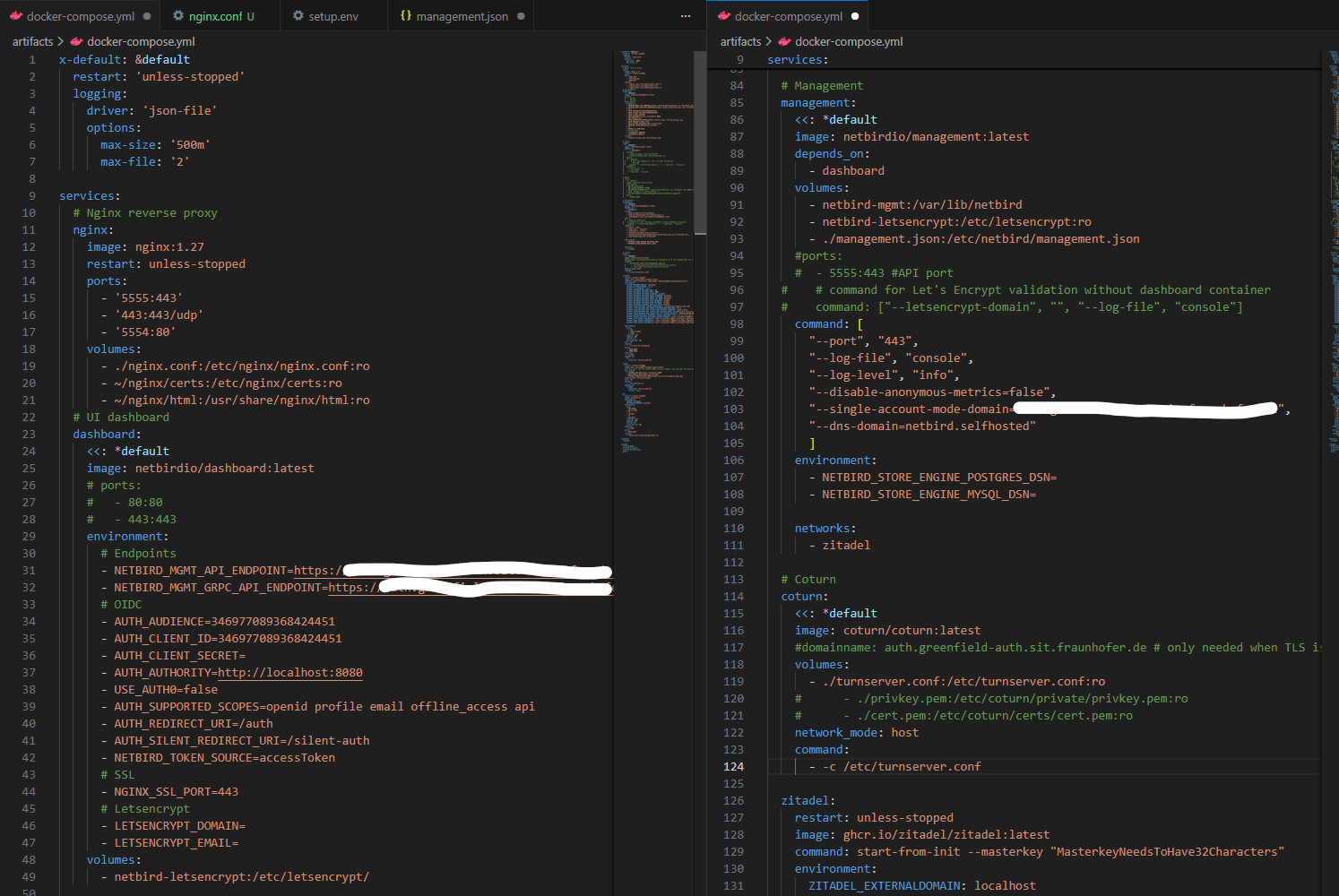
I cant upload more than one image, so i only uploaded this part. I couldnt upload an image og zitadel, login and db containers which are part this .yml file as well
Additional context
Add any other context about the problem here.
Have you tried these troubleshooting steps?
- Reviewed client troubleshooting (if applicable)
- Checked for newer NetBird versions
- Searched for similar issues on GitHub (including closed ones)
- Restarted the NetBird client
- Disabled other VPN software
- Checked firewall settings