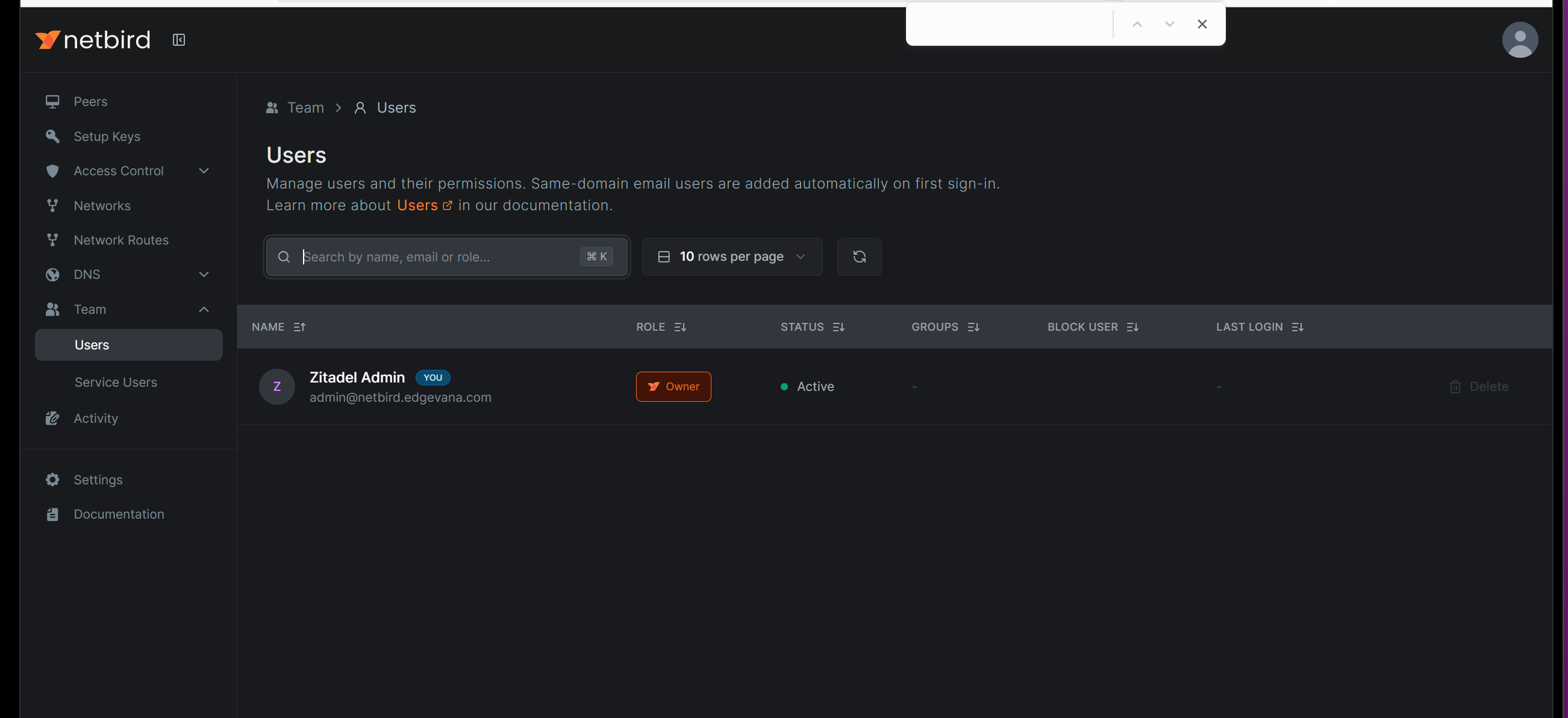
Describe the problem The NetBird web UI is missing the “Invite” button under Team > Users and the “IdP Sync” button, which are documented in the official documentation at Add users to your network - NetBird Docs. This prevents users from being able to invite new users to the network as described in the documentation.
To Reproduce Steps to reproduce the behavior:
- Go to the NetBird web UI
- Navigate to ‘Team > Users’
- Look for the ‘Invite’ button (as shown in documentation)
- Notice the Invite button is missing
- Look for the ‘IdP Sync’ button (as shown in documentation)
- Notice the IdP Sync button is also missing
Expected behavior According to the documentation, there should be:
- An “Invite” button in the Team > Users section to invite new users
- An “IdP Sync” button for identity provider synchronization Both of these UI elements should be present to allow user management as documented.
- Theres a notice people can login via emails on first sign-in, but no email is ever recieved and there is not instructions linked to set up in the notice message.
Are you using NetBird Cloud? Self-hosted NetBird control plane (installed using the installation script)
NetBird version 0.46.0
Is any other VPN software installed? No
Additional context
- This is a brand new installation using the NetBird installation script
- The documentation clearly shows these buttons should exist, but they are not present in the actual UI
- This affects the ability to manage users as described in the official documentation