How do I use the full domain name

How to use a full domain without the word “netbird”

I have setup a Netbird proxy on a VPS. It seems to be working as expected, apart from a small problem.

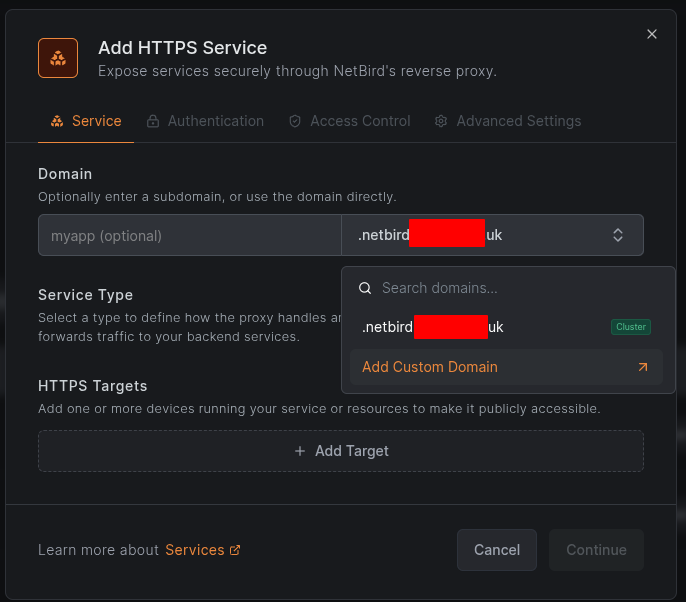
If i want to setup a service/proxy for say nextcloud, I try to add a service and I get presented with netbird.domain.com so the FQDN for nextcloud becomes nextcloud.netbird.domain.com.

However, I purchased the domain to be used specifically with Netbird, therefore I would like to use xxx . domain .com if possible, without the word “netbird” in front of it.

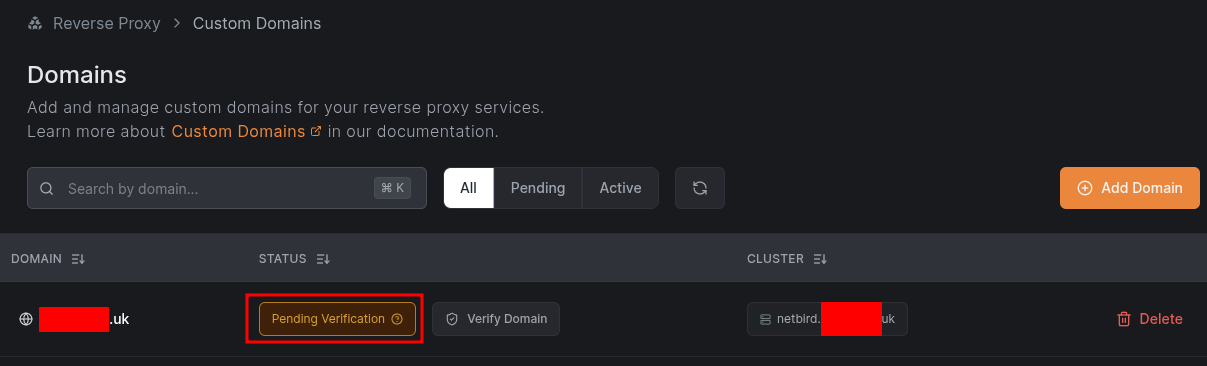
Already tried adding the domain under Cloudflare to point to my VPS, but its still showing as “Pending Verification” in Netbird.

How can i achieve this please?

Thank you.

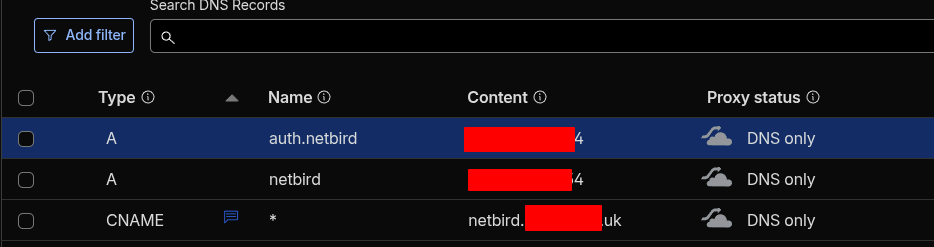
Just add a A-Record: netbird.yourdomain.com pointing to IP-of-Netbird-Server
and add a CNAME: * pointing to netbird.yourdomain.com

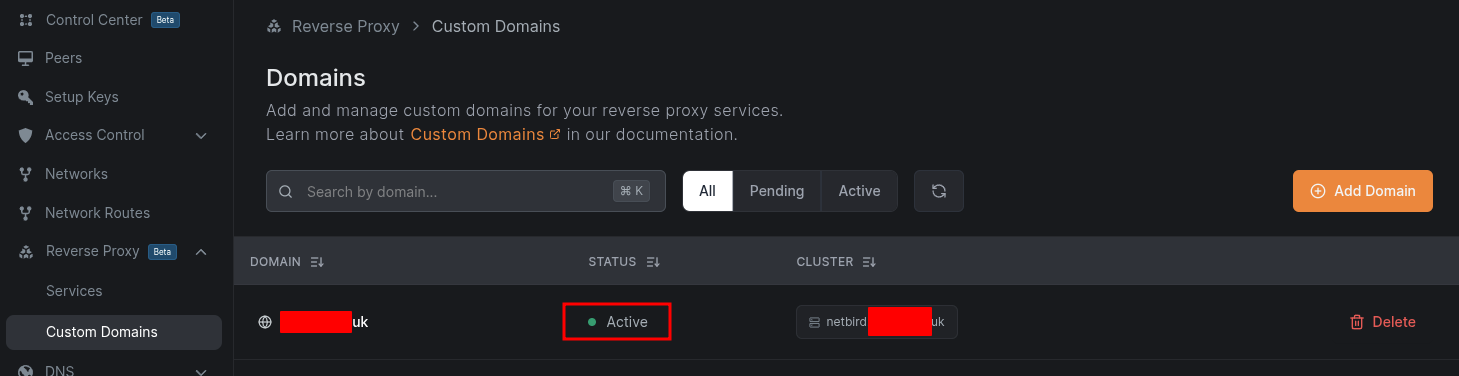
Under Netbird→Reverse Proxy→Custom Domains add: yourdomain.com with Target Proxy Cluster: netbird.yourdomain.com

Then under Netbird→Reverse Proxy→Services add your Service:
e.g. yourapp.yourdomain.com and HTTPS Target pointig to the Netbird-IP where the app is running.

==============

Thank you for the prompt reply.

From what I can tell, I already did all the steps you mentioned above. But it still not working.

As the domain name still showing Pending verification (been like that since yesterday) I dont see the option to add a service without the word netbird.

Do you notice anything that could be stopping it from verifying?
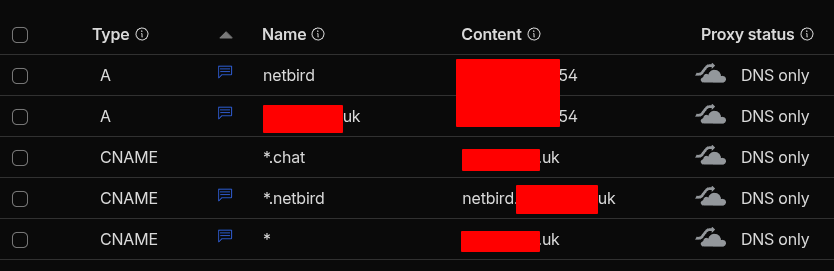
I just have the last CNAME I see on your screenshot, but ponting to your domain:
CNAME | * | netbird.yourdomain.uk

and the A-Record netbird.yourdomain.uk pointing to the Server IP of Netbird:
A | netbird.yourdomain.uk | Netbird-Server-IP

Then you can add yourdomain.uk pointing to your Target Proxy Cluster netbird.yourdomain.uk
Then the verification will work and you can add the HTTPS Service with yourdomain.uk

Thank you. That has resolved the problem verification. But introduced a new problem :slight_smile:

I followed TechHut’s Youtube video to set it up:

REAL Self-Hosted Remote Access for YOUR Home Server”

Part of that, he also setup Pocket ID for Login. It broke Pocket ID, as it relied on another DNS entry auth.netbird.domain.uk

I have now added an a record in Cloudflare for that url auth… and it started working.

All in all all seems good now, thank you Nordlicht-13

=============

For anyone in the future who hit similar problem and end up on this page. Here is the summary: