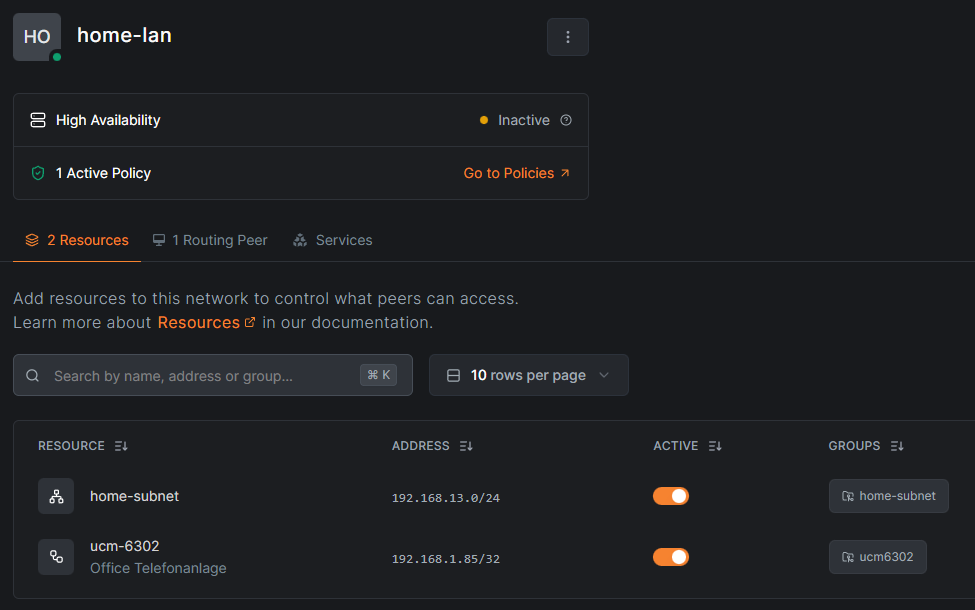
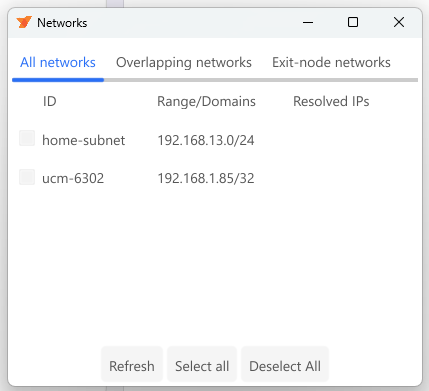
I moved from headscale/Tailscale to NetBird.
Now I can’t access my SMB-shares on my TrueNAS after the PC has started with NetBird.
When I disable I can access my SMBs again and when I enable NetBird again, I still can access those.
After reboot the same happens again.
Peers detail of TrueNAS
Peers detail:
truenas.netbird.mydomain.com:
NetBird IP: 100.XX.X.XXX
Public key: <Public_Key>
Status: Connected
– detail –
Connection type: Relayed
ICE candidate (Local/Remote): -/-
ICE candidate endpoints (Local/Remote): -/-
Relay server address: rels://netbird.mydomain.com:443
Last connection update: 5 minutes, 41 seconds ago
Last WireGuard handshake: 1 minute, 15 seconds ago
Transfer status (received/sent) 225.2 KiB/57.5 KiB
Quantum resistance: false
Networks: 192.168.31.88/32, 192.168.33.0/24
Latency: 0s
Could the problem be related to the fact that the connection to the server is a relay connection? Why is this a relay connection in the same house / LAN?
I don’t fully understand the issue here, what specificly is breaking?
I have a TrueNAS with the NeBird-App running on the NAS.
On my notebook I have the netbird client, connecting at startup
and some smb-shares connected as a drive.
When I start my notebook and open one of the drives, it’s
not accessable, wehen I disconnect netbird, I can access
the drive. Then I can connect netbird again and I’m still
able to access the drive.
I guess it has to do with the home-subnet I set up.
The SMB-shares are on the TrueNAS that has a 192.168.13.XX IP.
When I disable the network settings of the windows client, I can access the
shares without any problems.
Is it right, that I have to disable the networks when I’m at home?
That is more or less the idea yeah, altough you should be able to use an ACL with an access policy for that with the subnet. Eg. If you are on your local subnet, it won’t give you access and have you default to your normal subnet without NB.
I can’t ping my NAS, when I’m connected with my laptop to NetBird.
I followed this guide:
When I disable the home-subnet 192.168.13.0/24 I can ping the NAS.
Is this right, that I have to enable and disable the network manually?
Almost, you can setup an access rule in the netbird dashboard (ACL + Access Policy)
That should bring you to the right path.
I will check this out, but in the netbird-docs it says:
Network Routes vs Networks
Networks is the newer, simpler replacement for Network Routes. We recommend using Networks where possible; however, Networks do not yet support all remote access scenarios. Network Routes will continue to be maintained, so choose whichever fits your use case
So can this also be done with networks, or does it has to be Network Routes?
Maybe Brandon or Justin could make a video on it.
Network Routes will continue to be maintained, so choose whichever fits your use case
aka, you can use either. They keep both, at least for now.